
NVIDIA Unveils DLSS 5 Tech Docs
Today (Sept 2), NVIDIA publicly released the technical documentation for DLSS 5.
Under the hood, DLSS 5 uses a compact Transformer model with just 0.154 billion parameters. Its attention layers borrow from the DLSS 4 architecture, but the overall structure has been refined through automated architecture search to make it more Tensor Core‑friendly. That said, the current version is still experimental. The model runs on FP8 quantization, with a few numerically sensitive parts kept in FP16. NVIDIA claims this makes inference roughly twice as fast as the FP16 version, with only a tiny quality trade‑off.
The model is also optimized specifically for the Blackwell architecture (RTX 50 series) plus TMA instructions. That's why, even though some modders have tried to unlock it for older cards, the 40‑series can barely run it while the 20‑ and 30‑series are completely out of luck.
Performance & Memory Footprint
On an RTX 5090, DLSS 5 currently takes about 8 milliseconds per 4K frame, with peak VRAM usage hitting 731 MB—and that memory is shared with the game's own usage. The model offers three different presets for handling style, letting you tweak structure and color tone separately through a control panel. You can also choose between manual or automatic masking for specific areas.
In blind tests where users judged how realistic the output looked, NVIDIA said DLSS 5's overall results were on par with GPT image2 and slightly ahead of Gemini 3 Pro, while its character rendering was significantly better than both. But NVIDIA also admitted that for heavily stylized games—like pixel art, illustration, or cartoon styles—the current version of DLSS 5 can actually make things look worse.
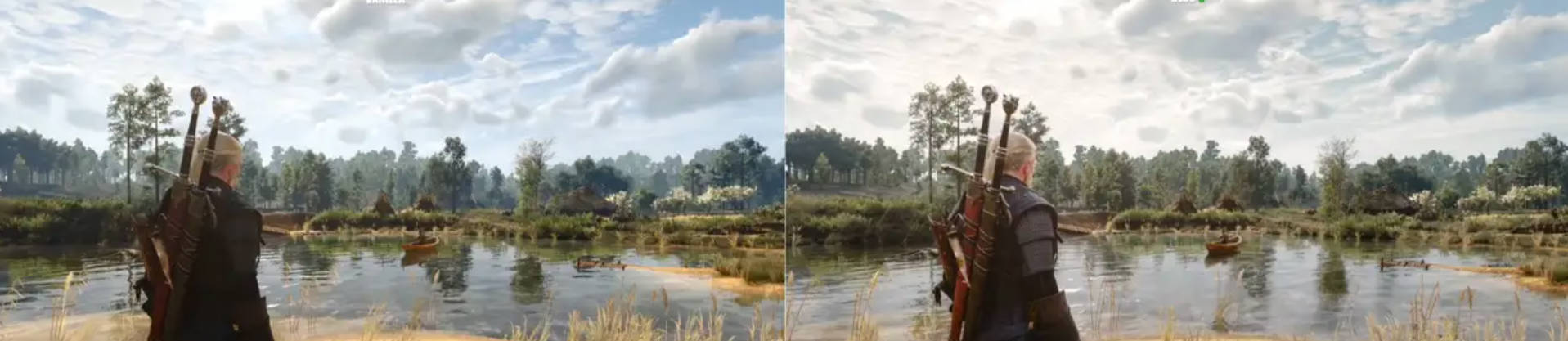
Hands‑On Feel: A Mixed Bag
From what I've seen, the results are a mixed bag. In photorealistic games, DLSS 5 can produce stunning, almost jaw‑dropping images. But if you throw it at anime‑style or cel‑shaded titles, the character faces might end up triggering some serious "uncanny valley" vibes.
Basically, DLSS 5's neural rendering acts like a "realism filter" for games. It's especially good at breathing new life into older AAA titles with realistic graphics. The catch? The AI's aesthetic is stubbornly fixed on "photo‑realism." It can't tell the difference between a deliberate art style and just "unrealistic" visuals. So for now, the smartest move is to use it only for environments, objects, and lighting in non‑photorealistic games—and leave character faces out of DLSS 5's hands entirely.
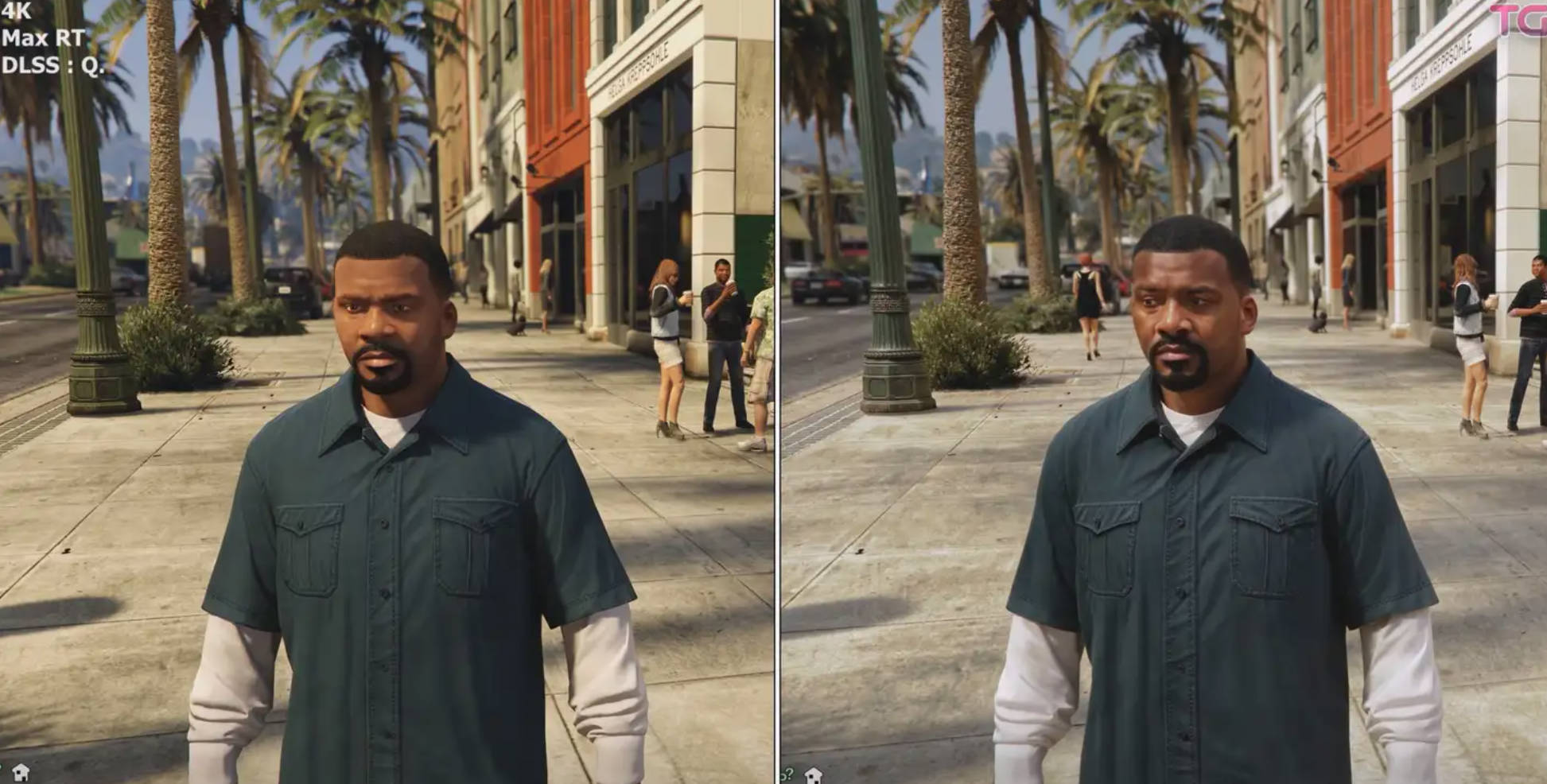
Performance Costs (50‑Series Only for Now)
Let's talk about the performance hit. On an RTX 5070 Ti running Cyberpunk 2077 at 4K, you get about 70+ fps with DLSS 5 off. Turn it on, and it drops to around 35 fps—nearly half the performance. If you also want to enable path tracing, you'd better be sitting on a 5080 or 5090, or just forget about it.
DLSS 5's neural rendering also eats up extra VRAM. In a few tests I checked, enabling DLSS 5 added anywhere from 240MB to 1.2GB of extra memory usage. On top of that, there's a memory overflow bug: when you tweak DLSS 5 or game settings, the game can crash due to VRAM exhaustion.
Bottom Line
DLSS 5 gives us a glimpse of the incredible potential of AI‑driven real‑time rendering—especially its power to revive the visuals of older games. At the same time, its heavy performance cost and the way it "brute‑forces" artistic styles present real challenges that will need to be solved going forward.